
AI Character Consistency in Video: How to Keep the Same Face Across Every Scene
You've been there. We all have. You generate a stunning opening shot — moody lighting, perfect composition, a character whose face tells a story before they even speak. Then you generate the next scene. And the face is... someone else entirely.
Different jawline. Different eyes. Sometimes a different age. The soul of the character — gone.
This is the single most cited frustration among AI filmmakers today. Character drift. The quiet killer of narrative coherence. You can nail the cinematography, the pacing, the atmosphere, but the moment your protagonist shape-shifts between cuts, the audience checks out. Suspension of disbelief — shattered. And no amount of beautiful generation can glue it back together.
But here's what most people get wrong. They treat it as a tool problem. As if switching from Kling to Runway or waiting for the next Veo update will magically solve everything. It won't. Character consistency in AI video isn't a feature you toggle on. It's a workflow you build, layer by patient layer, like a painter prepping a canvas long before the first brushstroke.
Let me walk you through how.
Why AI Characters Drift Between Scenes
Before fixing the problem, it helps to understand why it exists. Most AI video models are generative — they interpret prompts probabilistically, meaning every generation is a roll of the dice weighted by your words and reference inputs. Describe "a woman in her 30s with dark hair and green eyes" ten times, you'll get ten different women. The model isn't remembering. It's imagining. Fresh each time.
This is fundamentally different from traditional filmmaking where an actor simply... shows up again.
So every technique in this workflow exists to constrain the model's imagination. To narrow the dice. To make it generate the same character not because it remembers, but because you've given it so little room to deviate that consistency becomes almost inevitable.
Step 1: Build a Bulletproof Character Reference Image
Everything starts here. Not in your video tool. In a still image generator.
Your character reference image is your anchor — the single source of truth that every downstream generation will try to match. And most people rush this step. They grab a generation they liked from a test run and call it done. That's building on sand.
What Makes a Strong Reference
A strong character reference image has three qualities: clarity of features, neutral expression, and even lighting. You want the model to learn the structure of the face, not a particular mood or shadow pattern. Think passport photo energy — but cinematic enough that you'd actually want to use this person in a story.
Generate this in a high-quality image model. Midjourney, DALL·E 3, Flux — whatever gives you the most photorealistic and detailed output. Spend time here. Regenerate. Cherry-pick. This single image will ripple through every scene you create.
The Turnaround Sheet Technique
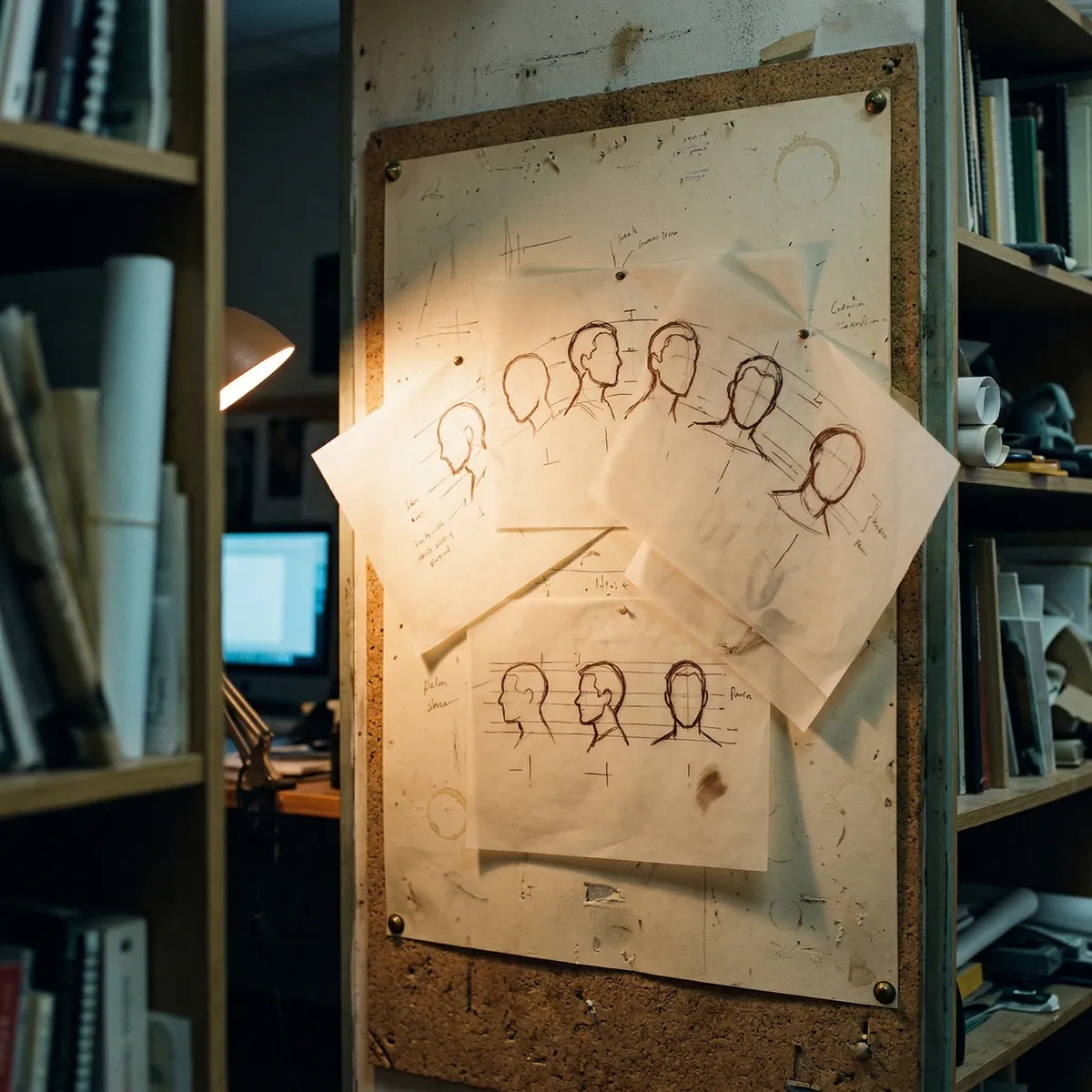
Now take it further. A turnaround sheet is a concept art staple — multiple angles of the same character on a single canvas. Front view. Three-quarter. Profile. Sometimes from behind. Game designers and animators have used these for decades, and they're devastatingly effective as AI reference material.
Prompt your image generator to create a "character turnaround sheet, multiple angles, consistent features, white background" and refine until every angle clearly reads as the same person. This gives your video model spatial understanding of the character's face. Not just what they look like head-on, but who they are in three dimensions.
Step 2: Prompt Anchoring — The Language of Consistency
Your reference image is the visual anchor. Your prompt is the verbal one. And they need to work in concert.
Prompt anchoring means developing a locked character description that you paste — word for word — into every generation. Not paraphrased. Not approximated. Identical. Because even small changes in prompt language can push the model toward a different interpretation of the same description.
Crafting Your Character Anchor Prompt
Be specific in ways that feel almost excessive. Not "brown hair" but "warm chestnut brown hair, shoulder-length, slight wave, side-parted left." Not "angular face" but "defined cheekbones, narrow jaw tapering to a slightly pointed chin, subtle smile lines."
The more precise your language, the tighter the constraint. You're building a cage — a beautiful, invisible cage — around the model's randomness.
Keep a text file. Your character bible. Name, age, physical descriptors, clothing defaults, and the exact anchor prompt. Every time you generate, copy-paste from this file. No freestyling. Discipline here is freedom later.
Step 3: Frame-Chaining Across AI Video Tools
This is where the real magic happens. And where most workflows fall apart.
Frame-chaining is the practice of using your last generated frame as the input for your next generation, creating a visual thread that the model can follow. Instead of generating Scene 2 from scratch with just a prompt and reference image, you feed it the final frame of Scene 1 as an additional anchor. The model now has a concrete, pixel-level example of what your character looks like in context — with the lighting, the color grade, the wardrobe already baked in.
How This Works in Practice
In Veo 3, you can use image-to-video with your end frame as the starting image, combined with your anchor prompt. The character's face carries over with remarkable fidelity because the model is extending what it sees rather than inventing from text alone.
Kling offers character reference features that let you upload your turnaround sheet directly, and its newer versions handle multi-shot consistency better than almost anything on the market right now. Feed it the reference, the anchor prompt, and your last frame. Triple-locked.
Runway Gen-4 has made significant strides with its character system, letting you define persistent characters across generations. Combine this with frame-chaining and your carefully crafted anchor prompt, and you've got three layers of consistency working simultaneously.
No single layer is foolproof. But stacked together? The drift drops dramatically.
Step 4: The Correction Loop — Catching Drift Early
Even with a layered workflow, drift happens. Subtly. A jawline softens by 5%. An eye color shifts half a shade. Across two scenes, imperceptible. Across twelve? Your character is someone new.
So you build a correction loop.
After every generation, compare the output frame against your original reference image. Side by side. Literally. If the drift is within tolerance — and you'll develop an instinct for this — move forward and chain the next scene. If it's not, regenerate before the deviation compounds.
This sounds tedious. It is. But it's also the difference between a coherent short film and a tech demo that falls apart after thirty seconds.

How AI Movie Solves the Consistency Problem
This entire workflow — reference creation, prompt anchoring, frame-chaining, correction loops — represents the state of the art for maintaining AI character consistency. And it's exactly the kind of challenge that AI Movie was built to address.
Rather than forcing creators to juggle multiple tools and manually chain frames between disconnected platforms, AI Movie integrates character reference systems directly into the filmmaking pipeline. You define your character once. Upload your reference sheet. Lock your anchor description. And the platform maintains that identity as you build scene after scene, cut after cut.
It's not magic. It's the same layered principles described above — but unified into a single creative environment so you can focus on storytelling instead of troubleshooting morphing faces.
The consistency problem isn't going away overnight. Models will keep improving. Character persistence will get more native, more automatic. But right now, in this moment, the filmmakers producing the most compelling AI video are the ones who've built systems around the limitation rather than waiting for it to disappear.
The Takeaway: Systems Beat Settings
There is no single button that gives you a consistent character across an AI-generated film. Not yet. Maybe not ever in the way we imagine.
But there is a method. Reference images built with intention. Turnaround sheets that teach the model your character in three dimensions. Anchor prompts repeated with religious precision. Frames chained like links in a narrative chain. And a correction loop that catches drift before it snowballs.
Layer by layer. Scene by scene. The same face looking back at you.
That's not a limitation of AI filmmaking. That's the craft of it. And the filmmakers who embrace the craft — who treat consistency as a creative discipline rather than a technical inconvenience — are the ones building stories that hold together. That land. That feel like something real.
Start with one character. One reference sheet. One perfectly anchored prompt. Build from there. The face will hold.
Ready to bring your stories to life with AI?